本文先对透明像素周边做 alpha 采样生成外发光,再通过周期函数改变发光强度,形成呼吸效果。示例用于说明实现思路,移动端使用前需要验证 Shader 编译兼容性和采样性能。
实现步骤
不透明区域直接渲染原纹理。
对透明区域周围的 alpha 进行采样,根据不透明采样点数量计算发光颜色和强度。
周期性调整 glow_expand,实现呼吸效果。
外发光 Shader 1 2 3 4 5 6 7 8 9 10 11 12 13 14 15 16 17 18 19 20 21 22 23 24 25 26 27 28 29 30 31 32 33 34 35 36 37 38 39 40 41 42 43 44 45 46 47 48 49 50 51 52 53 54 55 56 57 58 59 60 61 62 63 64 65 66 67 68 69 70 71 72 73 74 75 76 77 #ifdef GL_ES precision mediump float ;#endif varying vec4 v_fragmentColor;varying vec2 v_texCoord;uniform vec2 resolution; uniform vec3 glow_color; uniform float glow_expand; uniform float glow_range; const float sampleNum = 5.0 ;const float AsNotAlpha = 0.3 ; void debug(float x){ { gl_FragColor = vec4 (x/255.0 , x/255.0 , x/255.0 , 1.1 ); } } int getStrokeCount(){ vec2 unit = 1.0 / resolution.xy; float r = glow_range; float step = r / sampleNum; int count = 0 ; for (float x = -r; x < r; x += step ) { for (float y = -r; y < r; y += step ) { vec4 col = texture2D (CC_Texture0, v_texCoord + vec2 (x * unit.x, y * unit.y)); if (col.a > AsNotAlpha) { count = count + 1 ; } } } return count; } void main(){ vec4 myC = texture2D (CC_Texture0, v_texCoord); if (myC.a > AsNotAlpha) { gl_FragColor = v_fragmentColor * myC; return ; } int strokeCount = getStrokeCount(); float totalSample = (sampleNum * 2.0 ) * (sampleNum * 2.0 ); float limit = totalSample * 0.8 ; float strokeCountF = float (strokeCount); if (strokeCountF > limit) { myC.rgb = glow_color * glow_expand; myC.a = strokeCountF * glow_expand / totalSample; } else { myC.rgb = glow_color * strokeCountF * glow_expand / limit; myC.a = strokeCountF * glow_expand / totalSample; } gl_FragColor = v_fragmentColor * myC; }
兼容性与性能 这段 Shader 的双层循环边界来自 uniform。部分 OpenGL ES 2.0 驱动要求循环次数可在编译期确定,可能无法通过编译;同时,每个透明片元约进行 100 次纹理采样,大图或多个节点同时使用时开销较高。生产环境可改用固定循环上限、预生成外发光纹理,或使用横纵两次处理的方案。
实现呼吸效果 通过 scheduleUpdate 周期性修改 glow_expand。可以使用 sin 或 cos 生成平滑变化:
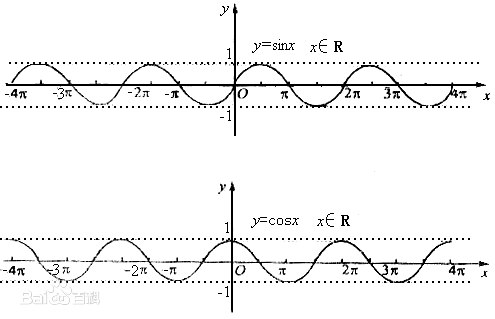
alpha 不能为负,因此对 sin(time) 取绝对值:
1 2 3 4 5 logo:scheduleUpdate(function (delta) time = time + delta local sin_value = math .abs (math .sin (time )) glProgramState:setUniformFloat("glow_expand" , sin_value) end )
最终效果:
完整 Lua 参数设置 1 2 3 4 5 6 7 8 9 10 11 12 13 14 15 16 local logo = self .holder:getChildByName("Sprite_start_logo" )local size = logo:getTexture():getContentSizeInPixels()glProgramState:setUniformVec2("resolution" , {x = size.width, y = size.height}) glProgramState:setUniformVec3("glow_color" , cc.vec3(0 , 1 , 0 )) glProgramState:setUniformFloat("glow_range" , 10 ) glProgramState:setUniformFloat("glow_expand" , 1 ) local time = 0 logo:scheduleUpdate(function (delta) time = time + delta local sin_value = math .sin (time ) glProgramState:setUniformFloat("glow_expand" , math .abs (sin_value)) end )logo:setGLProgramState(glProgramState)
节点退出或效果结束时,应停止对应的更新回调,避免无效调度继续执行。
相关阅读